From one company to its whole network
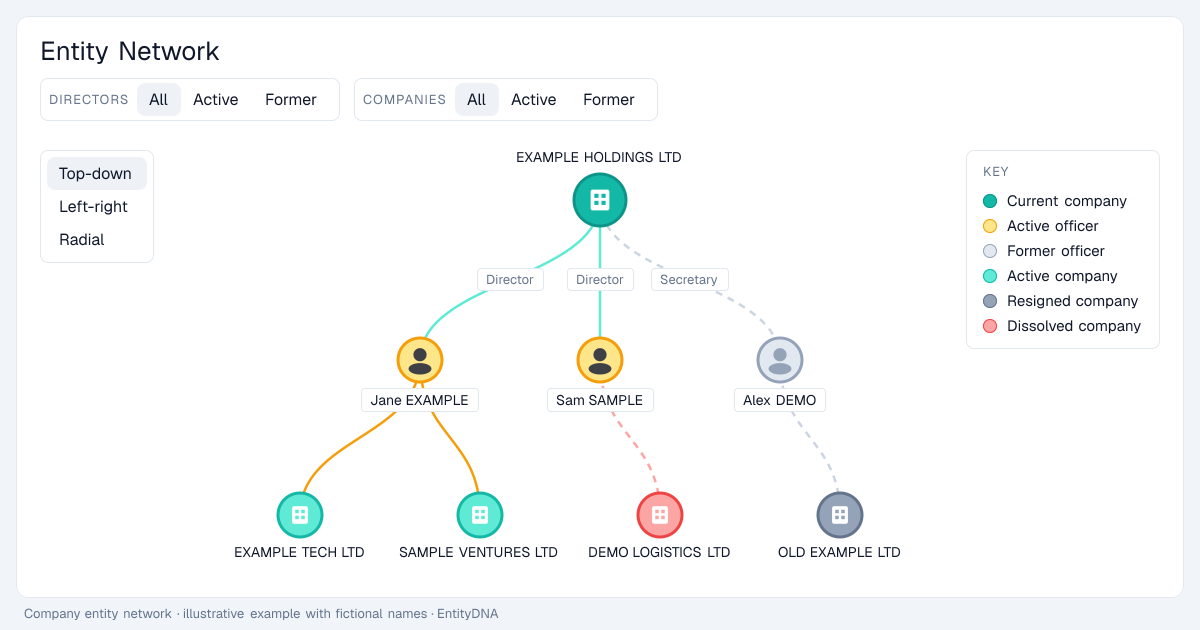
Open the Entity Network tab on any company. The company sits at the top, its directors and secretaries below it with their role on each link, and every officer leads on to the other companies they are appointed to.
Colour-coded at a glance
Active officers are amber and former officers are faded. Companies are coloured as active, resigned or dissolved, and a key on the graph explains every colour.
Filter, search and change the layout
Show all, active or former directors and companies, search for an entity or officer by name, zoom in and out, recentre, and switch between top-down, left-right and radial layouts.
Networks for people too
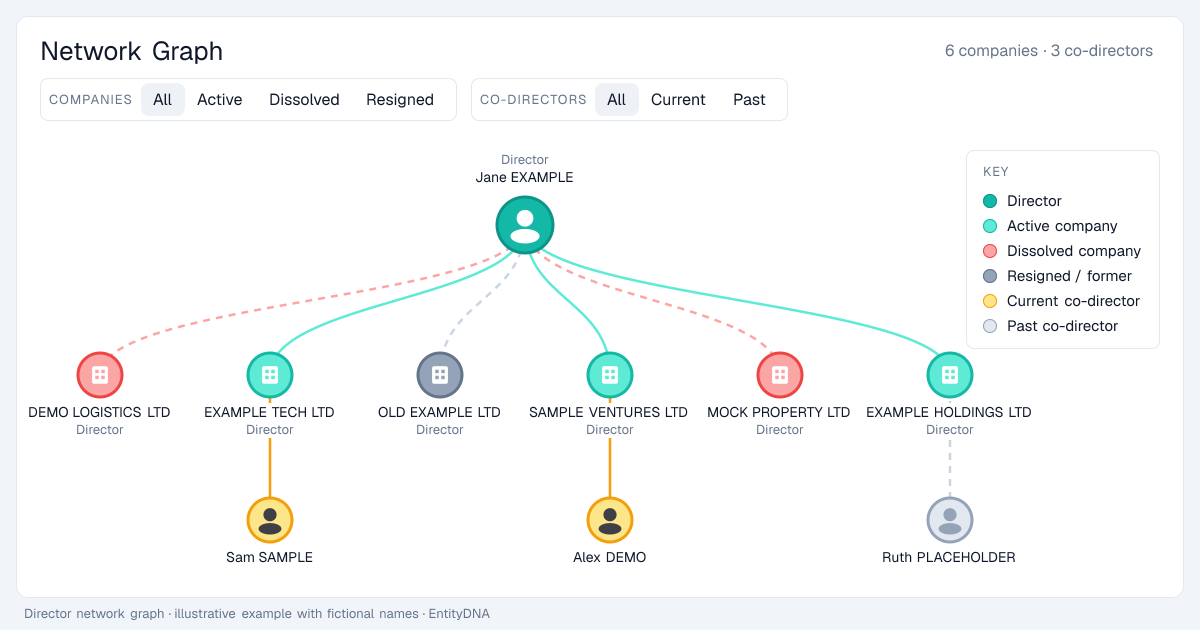
Every director page has its own network graph: the person, all of their companies, and the co-directors they share them with, filterable by active, dissolved or resigned companies and current or past co-directors.
The interactive network graph is part of the Pro plan.